
Transfers and trips
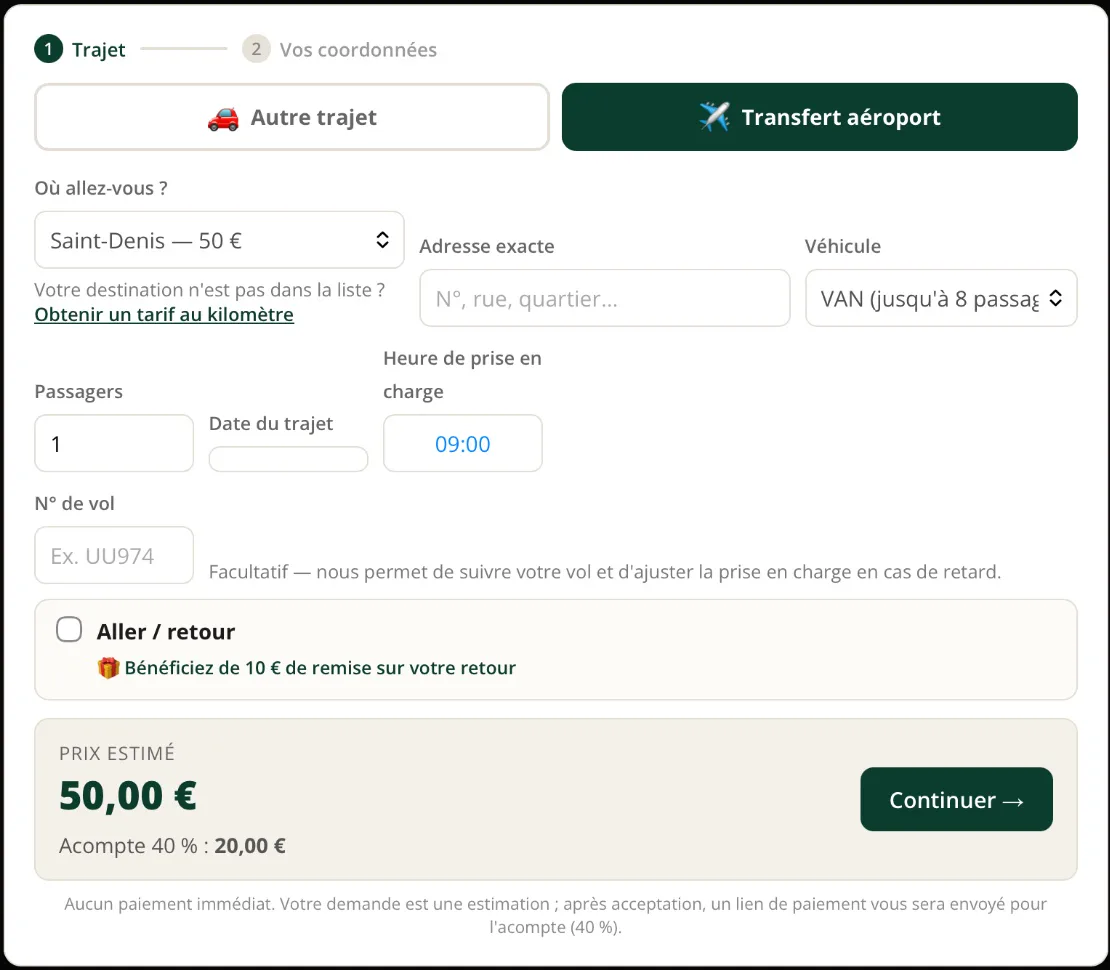
Fixed-price airport transfers by destination and vehicle, or per-kilometre trips calculated automatically with address suggestions.
[vtc_booking_form]RouteBook · Chauffeur, transfer and excursion booking for WordPress
Take bookings online with automatically calculated fares, stay in control of every ride and collect the deposit before the trip.
For private hire drivers, taxis and airport transfer companies with a WordPress website.
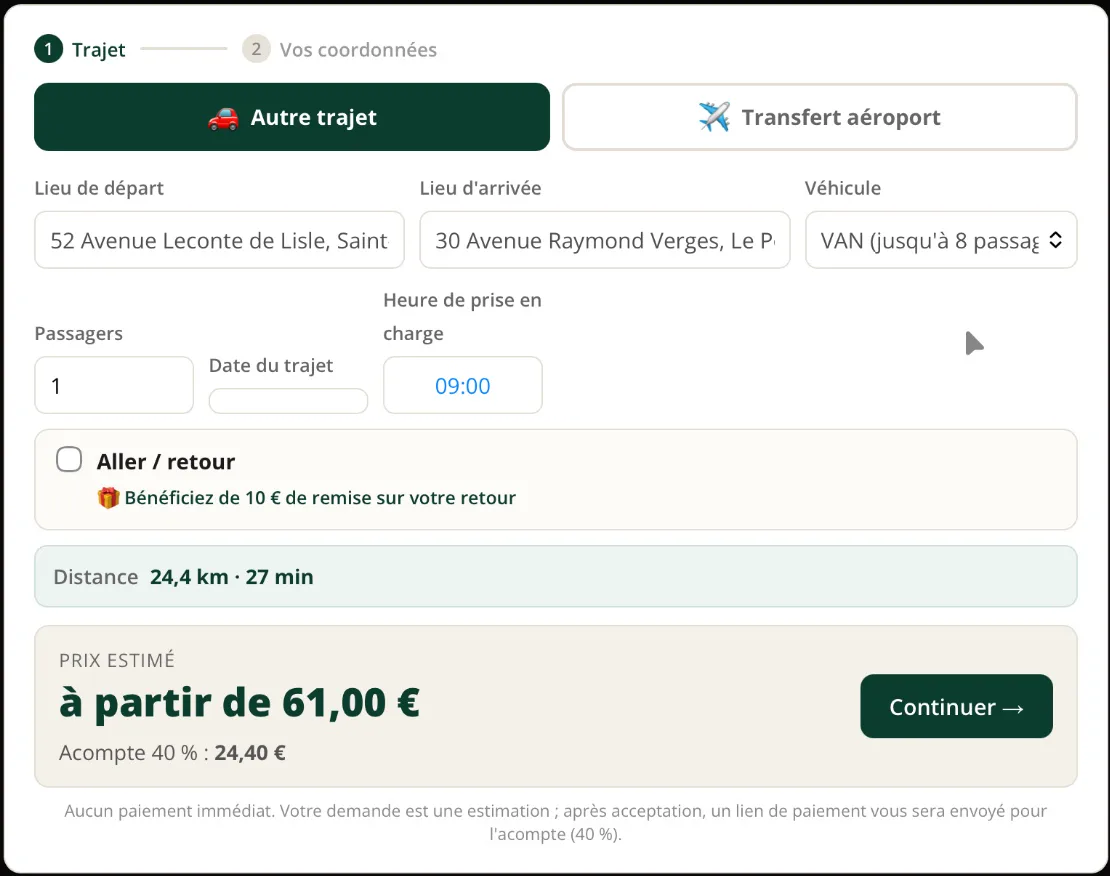
Fixed-price airport transfers by destination and vehicle, or per-kilometre trips calculated automatically with address suggestions.
[vtc_booking_form]Your day trips as illustrated cards, priced per vehicle, per participant or on quote. Module included in the Pro and Agency plans.
[vtc_packs]Use one, the other or both, each on the page of your choice.
Online booking
They pick their trip and vehicle, and the fare appears straight away. Addresses autocomplete, limited to your service area. They send their request in seconds, with no account and no payment.
Pricing
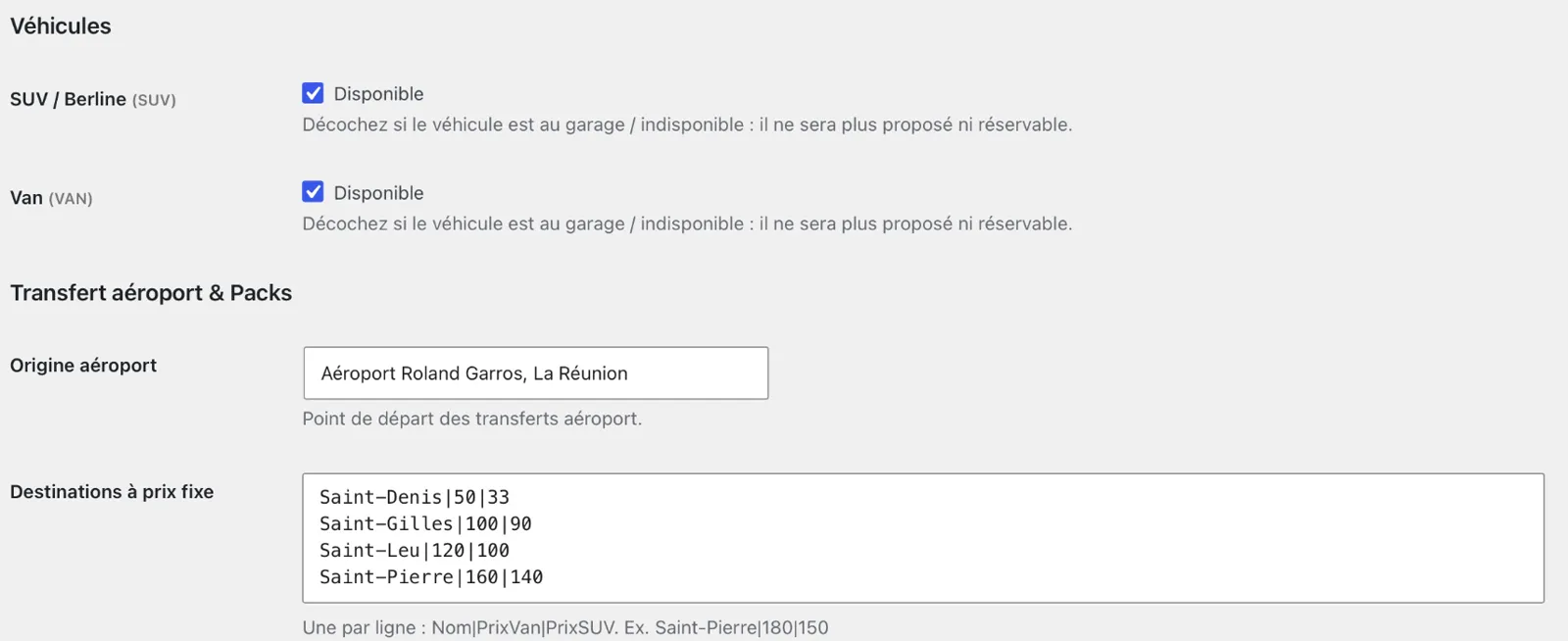
Set your prices once: fixed-price destinations, per-kilometre rates per vehicle, minimum fare, night surcharge and return discount. RouteBook does the maths for you, on every request.
Approval
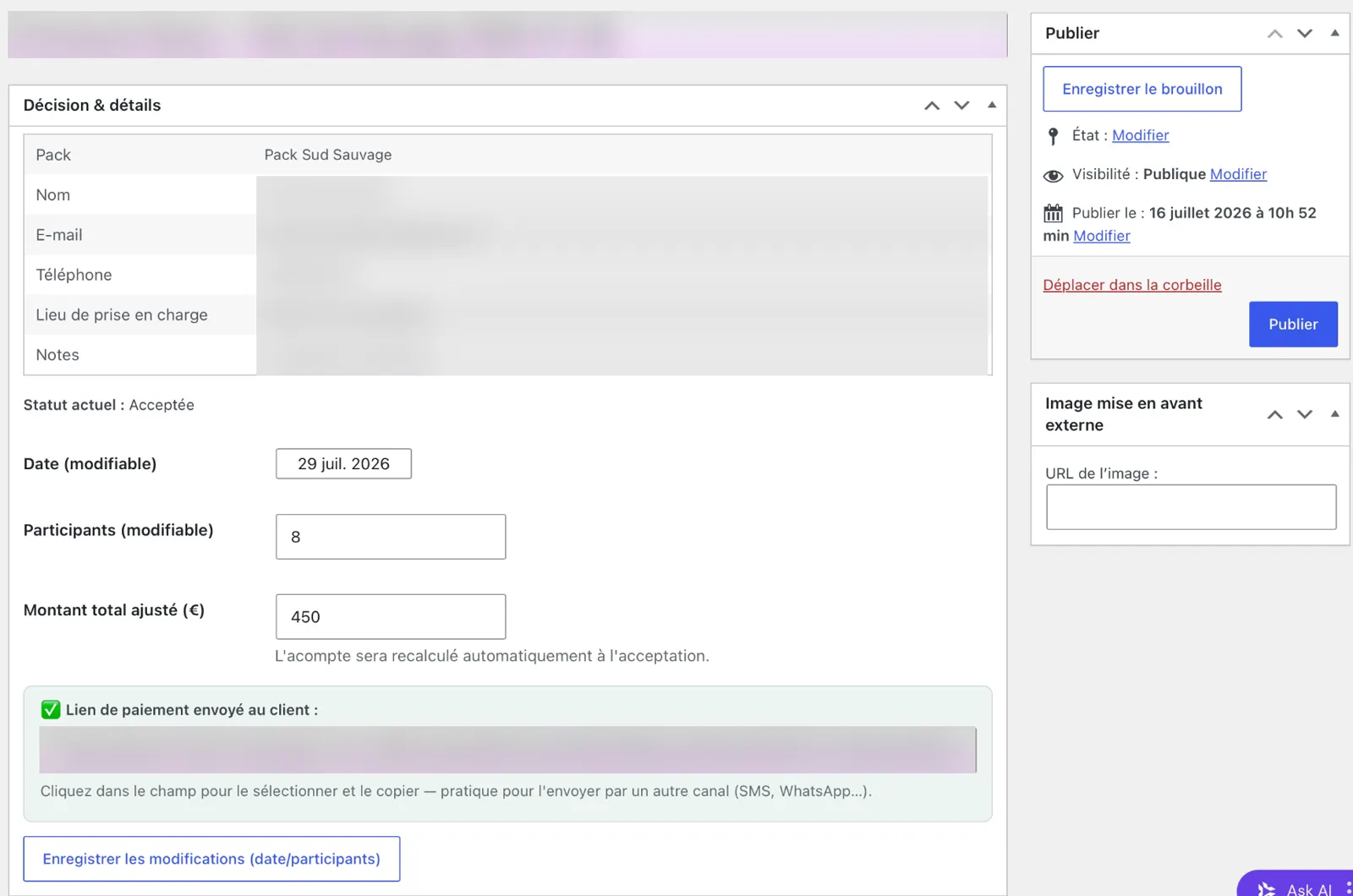
Every request lands in your dashboard with all its details. Accept, decline or adjust the amount in one click. The deposit is recalculated automatically.
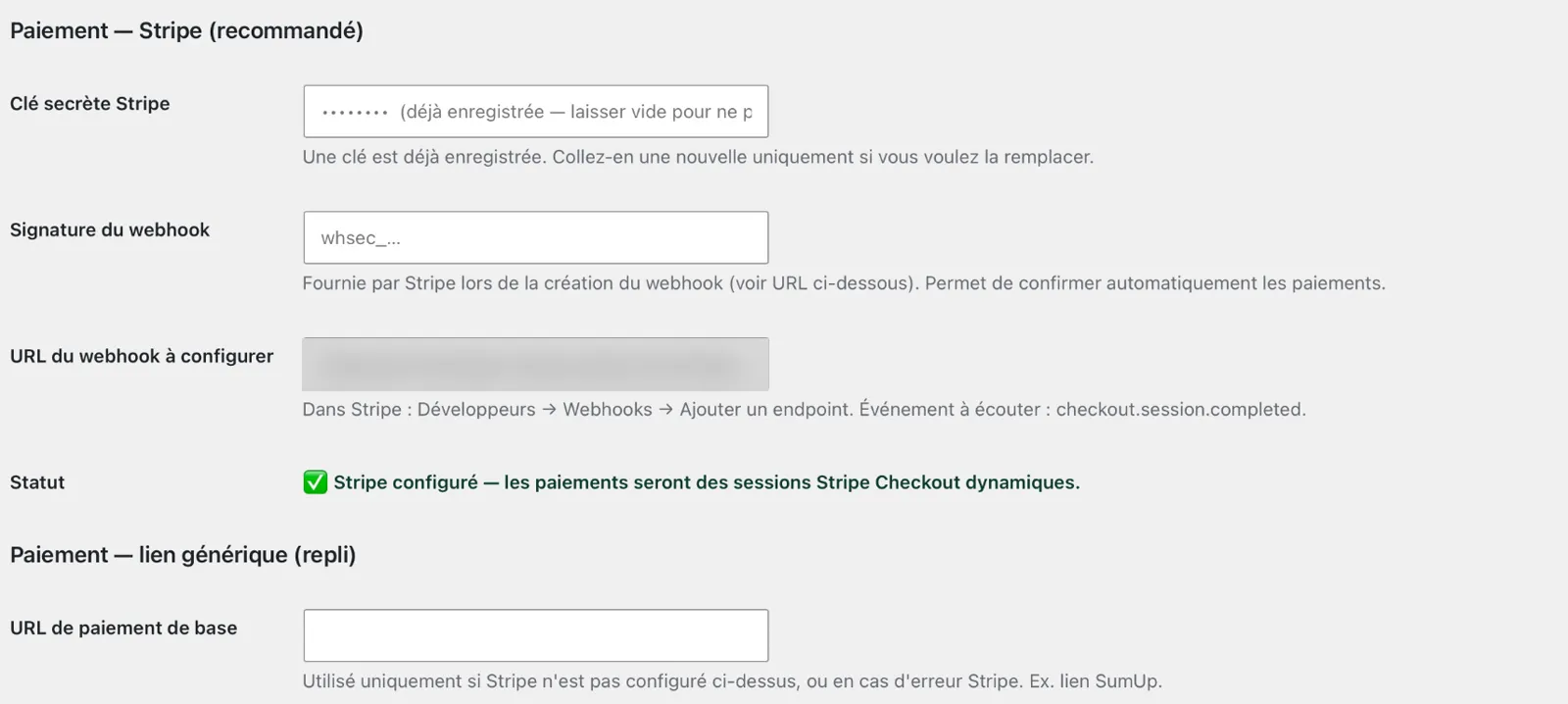
Payment
On acceptance, the customer gets an email with their Stripe payment link. As soon as they pay, the booking switches to “Deposit paid” and you are notified. No more no-shows.
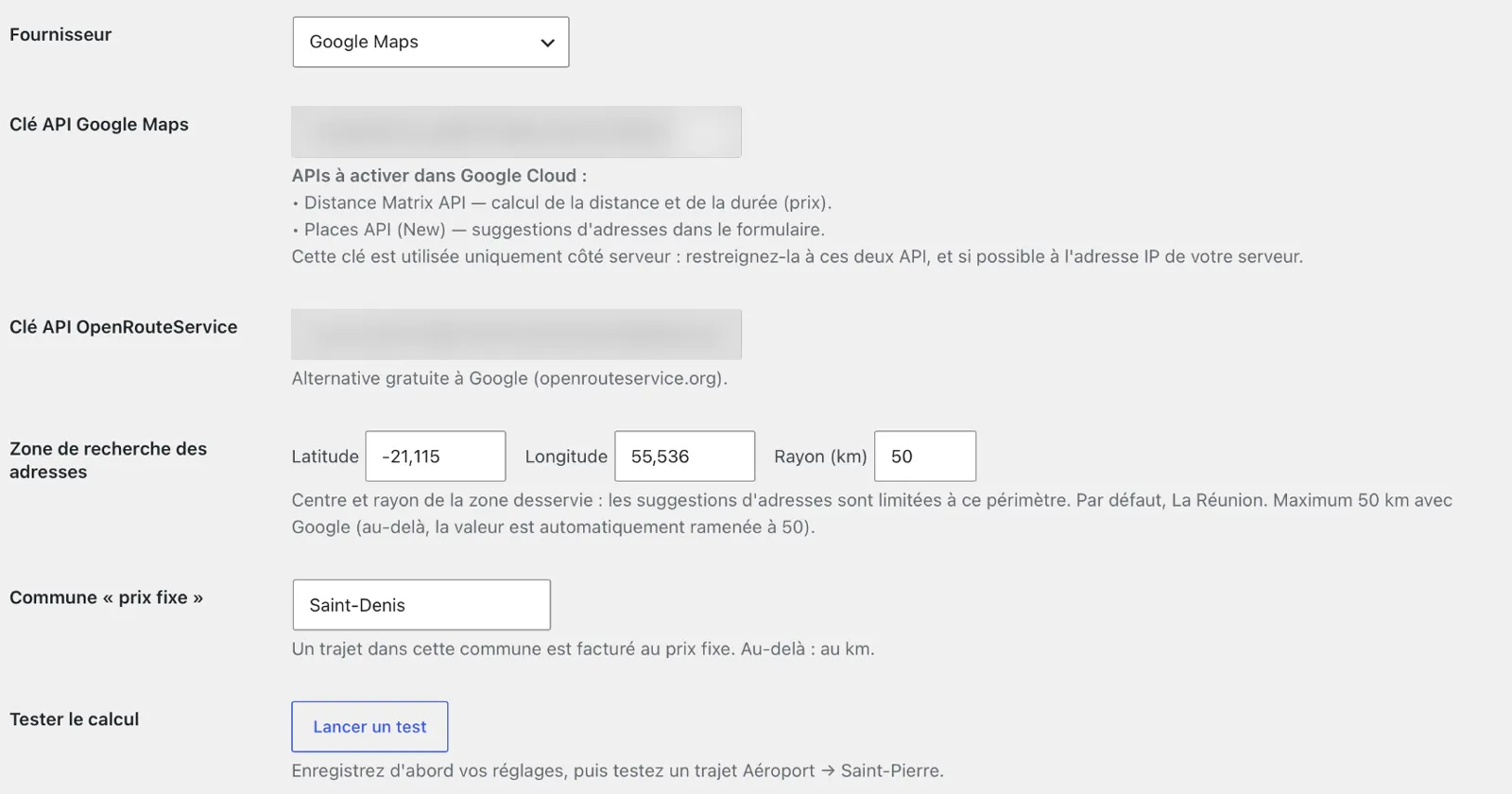
Reliability
Distances are calculated by Google Maps or by the free OpenRouteService. A button tests your keys in one click. If an API stops responding, the price shows “On quote”: the request still goes through, and you enter the amount before accepting.
After acceptance
Address, date, passengers or amount: change a ride that is already accepted. The customer is emailed, and a new payment link is created if the price changes.
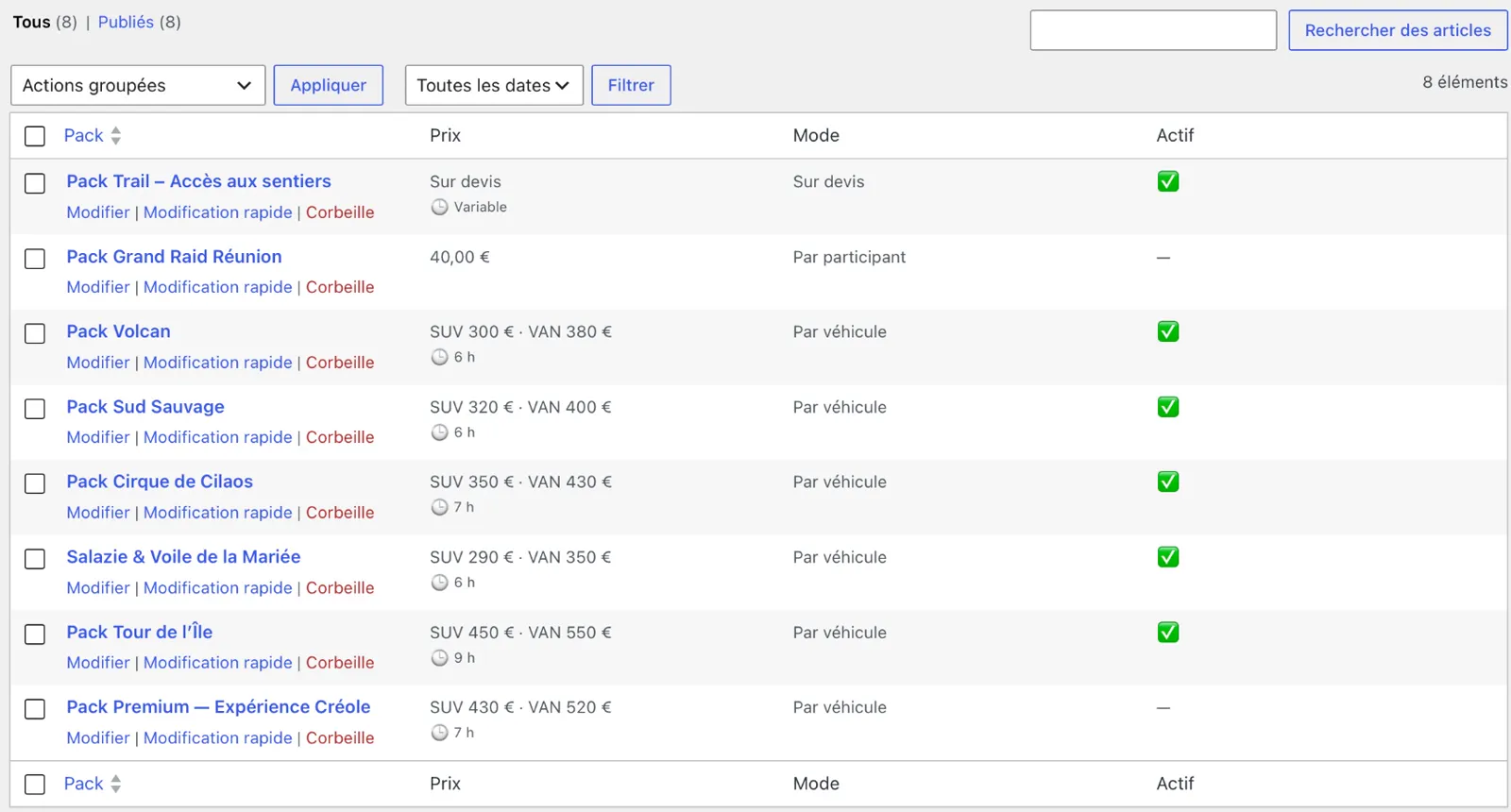
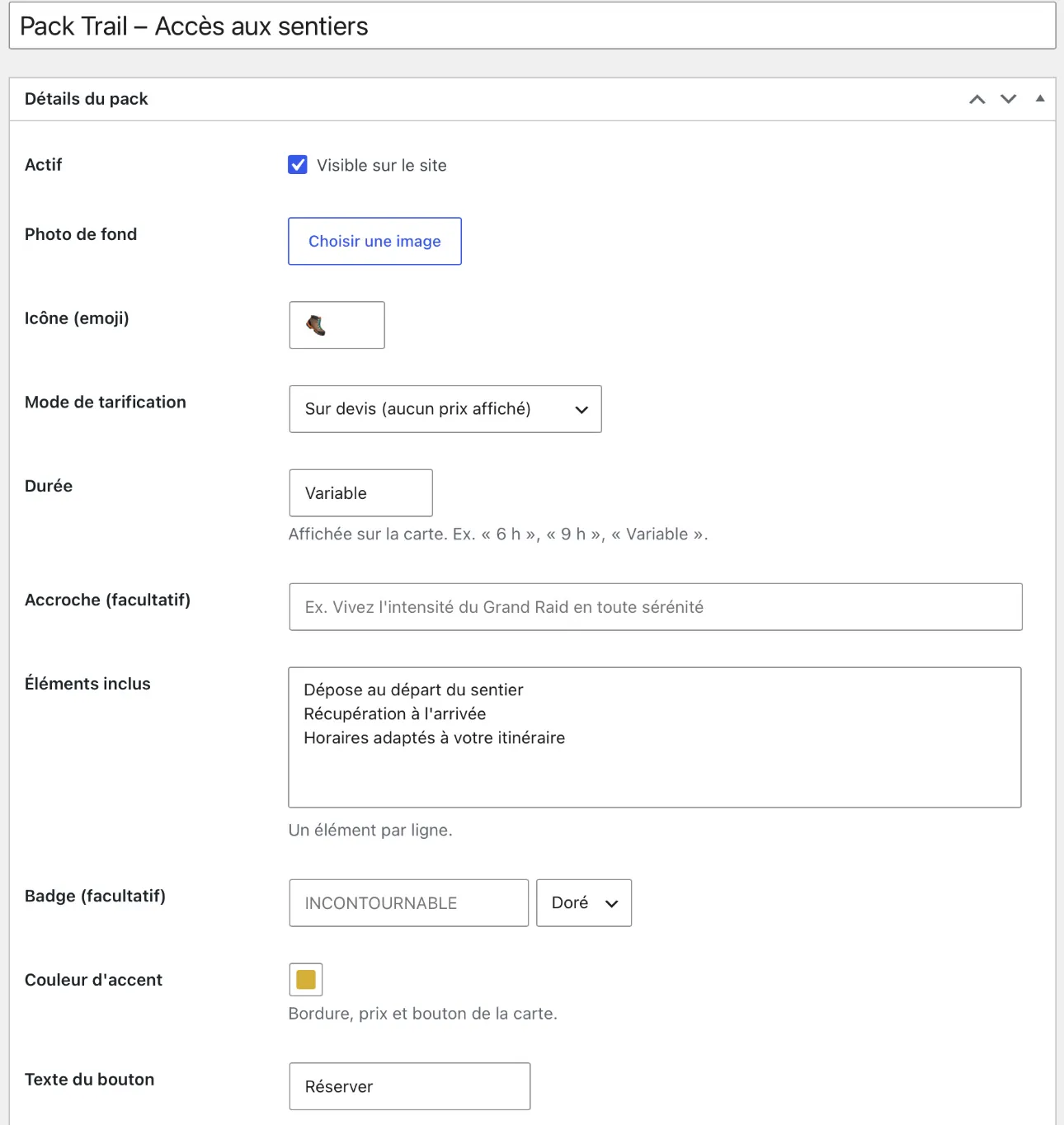
Excursion Packs module · Pro and Agency
Create one card per excursion with photo, duration, inclusions, badge and colour. Price per vehicle, per participant or on quote: customers pick their vehicle, and beyond the van’s capacity they ask you for a quote.
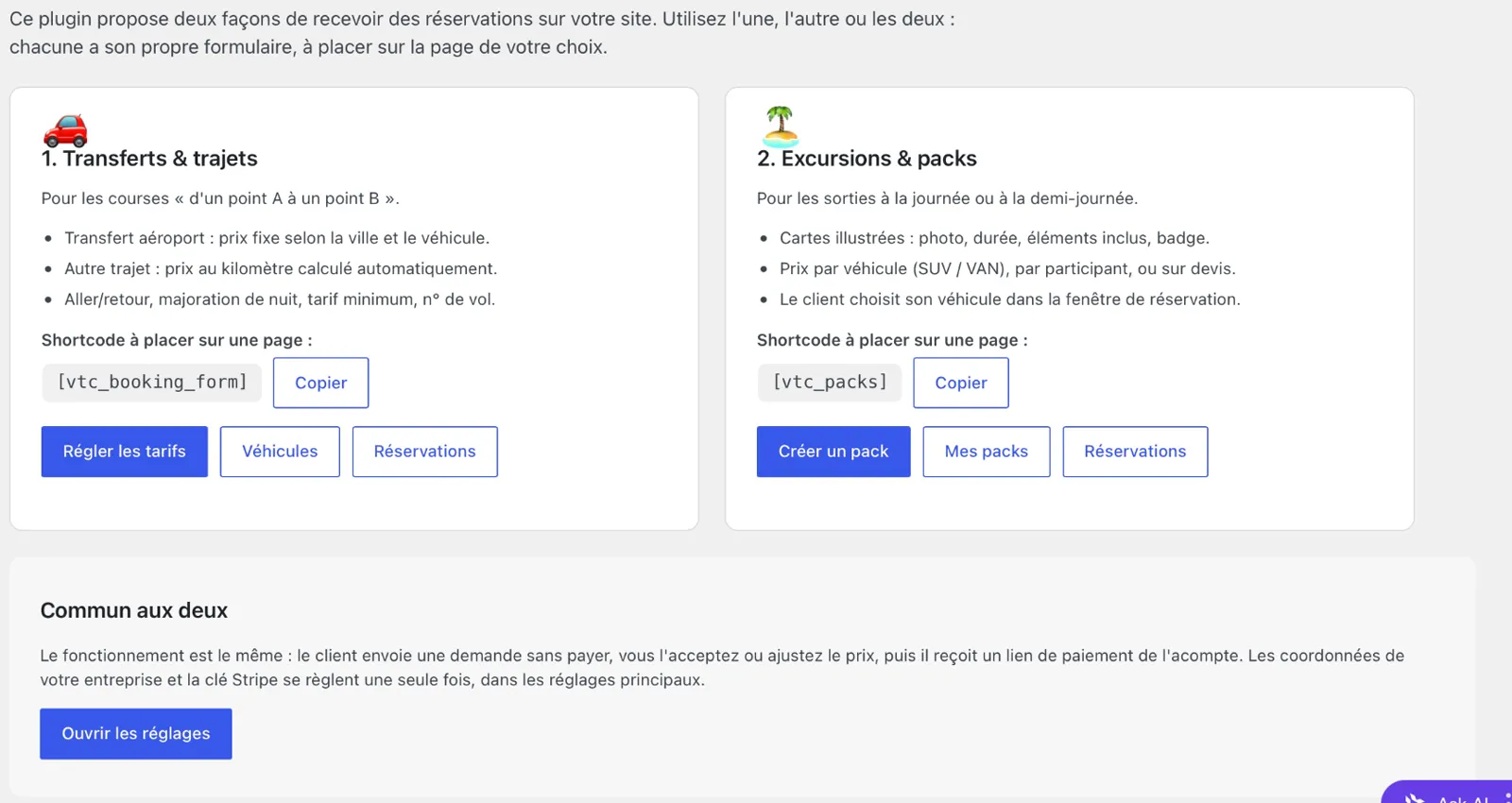
Getting started
On activation, a “Getting started” page presents both booking modes with their shortcodes ready to copy. A checklist shows what is left to set up, step by step.
Included in the Pro and Agency plans
Create one card per excursion: photo, duration, what is included, badge and colour. Price per vehicle (SUV or van), per participant, or on quote. The SUV is greyed out beyond its capacity, and beyond the van’s capacity the customer asks for a quote.
Annual licence: updates and support included for one year. When the licence ends, the plugin keeps working.
€79/year
Recommended
€149/year
€299/year
We install and configure RouteBook on your WordPress site: full settings, Google and Stripe keys, form layout.
From €190
Order the installationNo website yet? We build your chauffeur or transfer website from scratch, with RouteBook built in and ready to take bookings.
From €600
Request my websiteYes, to collect the deposit online. Opening a Stripe account is free; Stripe takes a fee on each payment. Without Stripe, the plugin can send a payment link of your choice, such as SumUp.
No. OpenRouteService is a free alternative for calculating distances. Automatic calculation is optional too: distance can be entered by hand.
Yes. The forms are added with the [vtc_booking_form] and [vtc_packs] shortcodes, on the pages of your choice.
The interface is currently in French. All texts are translation-ready, so they can be translated with a standard WordPress translation plugin.
Two categories: van, and SUV or saloon, each with its own rates. Add as many vehicles as you have, each with its own availability.
The plugin keeps working. You simply no longer get updates or support.
Yes. We install and configure RouteBook on your website from €190, or build your complete website with RouteBook built in from €600.
We build your complete website, with RouteBook installed and configured, from €600.
Pick your licence, or ask for a demo to see the plugin working on a real website.
A free 30-minute video call to understand what you need and show you how we can help.
Message us on WhatsAppThe booking calendar will appear here.
Contact form
Tell us about your project in a few lines. We reply by email, in English or French.
Our services
We work with






Build
Business websitesA clear website that makes people want to call you.E-commerceAn online store that sells, on Shopify or WordPress.LMS platformsYour school or online courses, ready to sell.Corporate websitesThe site that earns the trust of partners and investors.MarketplacesA platform where many sellers sell through you.Web appsThe custom tool that replaces your spreadsheets.Video and motion designReels and ads people watch to the end.Growth
SEOShow up on Google when customers look for you.Digital marketingA clear strategy to win customers online.Online advertisingMeta, Google, LinkedIn and TikTok Ads run for results.Social media managementSocial media kept active, consistent and on-brand.Content and brandingLogo, brand guidelines and content that look like you.Artificial intelligenceAssistants and automations that give you hours back.CybersecurityA website that is protected, backed up and up to date.Training and coachingBecome independent on your website, social media and AI.